Transforming Your eCommerce Game: Mastering the Art of Magento 2 PWAs

Key Highlights:
- Mobile shoppers abandon slow, app-like-in-name-only Magento storefronts before checkout, and a Magento 2 PWA is frequently proposed as the fix without the buyer ever seeing what the build actually requires.
- Sigma scopes every Magento 2 PWA implementation around the delivery path that fits the existing catalog and team: PWA Studio, a PWA theme, a headless frontend, or a lighter extension, rather than defaulting to the heaviest option available.
- Retailers that implement the right path get faster mobile load times and a genuinely app-like storefront without taking on a separate native app codebase to maintain.
- Sigma pairs Magento-certified engineers with direct PWA Studio and headless commerce delivery experience, scoping the build as an audited engagement rather than a fixed quote based on catalog size alone.
Introduction:
A Magento 2 PWA replaces a store’s front end with a lighter, app-like interface built on React or Vue and served through an API layer, while the Magento backend, catalog, pricing rules, and checkout logic stay exactly where they are. For a VP of eCommerce evaluating the project, the pitch usually arrives already simplified: faster mobile pages, a home screen icon, offline browsing. What gets skipped is that “Magento 2 PWA implementation” is not one build; it is four genuinely different delivery paths, each with a different cost, timeline, and long-term maintenance load. Choosing the wrong one is how a six-week project quietly becomes a six-month one. This post covers what a Magento 2 PWA implementation actually involves: the delivery paths available, what each requires from an existing store, and how Sigma scopes and sequences the work so the build matches a retailer’s catalog complexity rather than a vendor’s default recommendation.
What a Magento 2 PWA Actually Changes for Your Storefront
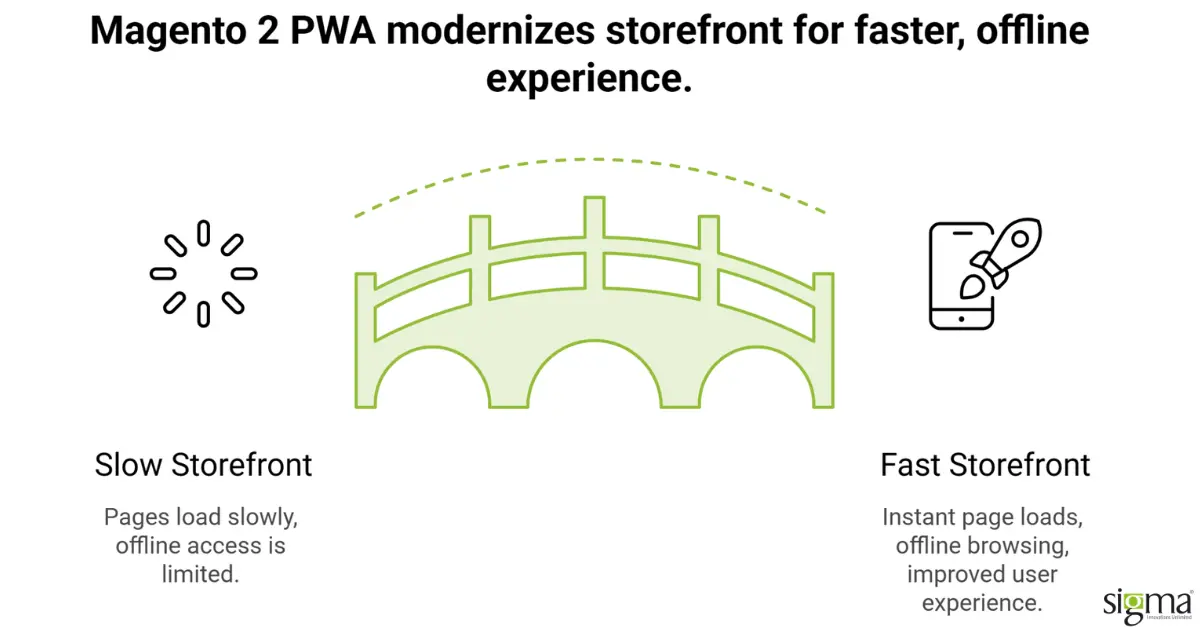
A Magento 2 PWA sits in front of Magento as a decoupled application layer. Instead of Magento rendering pages directly through its Luma theme, a separate application, typically built in React or Vue, requests data from Magento through GraphQL or REST APIs and renders the storefront itself. A service worker caches the application shell and key assets in the visitor’s browser, which is what makes repeat page loads feel instant and lets core browsing continue even when the connection drops. None of this touches order management, inventory, pricing rules, or checkout logic on the Magento side; those stay on the platform the team already operates. What changes is the presentation layer and how it reaches the browser. That distinction matters for the buying decision: a Magento 2 PWA is a front-end modernization project layered onto an existing platform, not a replatform, and the backend risk profile is correspondingly lower than a frontend rebuild makes the project sound.
Ready to Scale Your Magento Store?
Why Retailers Move Off Magento’s Default Front End
Magento’s default Luma theme was not built for the app-like experience mobile shoppers now expect from a modern retailer’s site. Luma runs on Knockout.js and RequireJS, both of which generate a front-end payload that grows heavier with every extension a store adds over time, and mobile PageSpeed scores in the 30s and 40s are common on stores that have been live for more than a couple of release cycles. That performance gap shows up directly in the numbers a VP of eCommerce is measured on: mobile bounce rate, add-to-cart rate, and the share of sessions that convert on a phone rather than a desktop. A Magento 2 PWA addresses that gap by replacing the rendering layer with something built for the use case from the start: app-shell caching, code splitting, and a UI framework designed for interaction speed rather than server-rendered page loads.
Four Paths to a Magento 2 PWA Implementation
Retailers evaluating this project usually get pitched one option, whichever the vendor sells, without seeing the other three. There are four realistic paths to a working Magento 2 PWA, and they sit on a real spectrum of effort, control, and long-term maintenance cost.
PWA Studio and Venia, Adobe’s own toolkit, give the deepest Magento integration and the most control, but it is a genuine application build: a development environment, custom storefront components, and ongoing maintenance as Adobe updates the toolkit. A PWA theme, such as ScandiPWA, Tigren, or CedCommerce’s offering, trades some of that control for speed to launch; these are pre-built React and GraphQL front ends that cover most standard Magento features out of the box, with customization handled through theme overrides rather than a from-scratch build. A headless storefront framework such as Vue Storefront sits further from Magento specifically and further toward a general headless commerce frontend, useful for retailers already committed to a broader headless or multi-platform strategy.
| Implementation Path | Effort and Timeline | Control Over Front End | Best Fit |
| PWA Studio + Venia | Highest; full application build | Full | Complex catalogs needing custom UX |
| PWA Theme (ScandiPWA, Tigren, CedCommerce) | Moderate; theme install plus customization | Moderate | Standard catalogs wanting fast time to launch |
| Headless Storefront (Vue Storefront) | Moderate to high; separate frontend stack | High | Retailers already committed to headless architecture |
| PWA Extension (Webkul) | Lowest; added to existing theme | Low | Retailers wanting PWA features without a rebuild |
Which path fits depends on catalog complexity, how much custom front-end logic the current theme carries, and how much of the front-end codebase the internal team wants to own going forward. Sigma’s audit at the start of an engagement is built to answer that question before committing to a build path, not after.
What the Engagement Actually Requires From Your Team
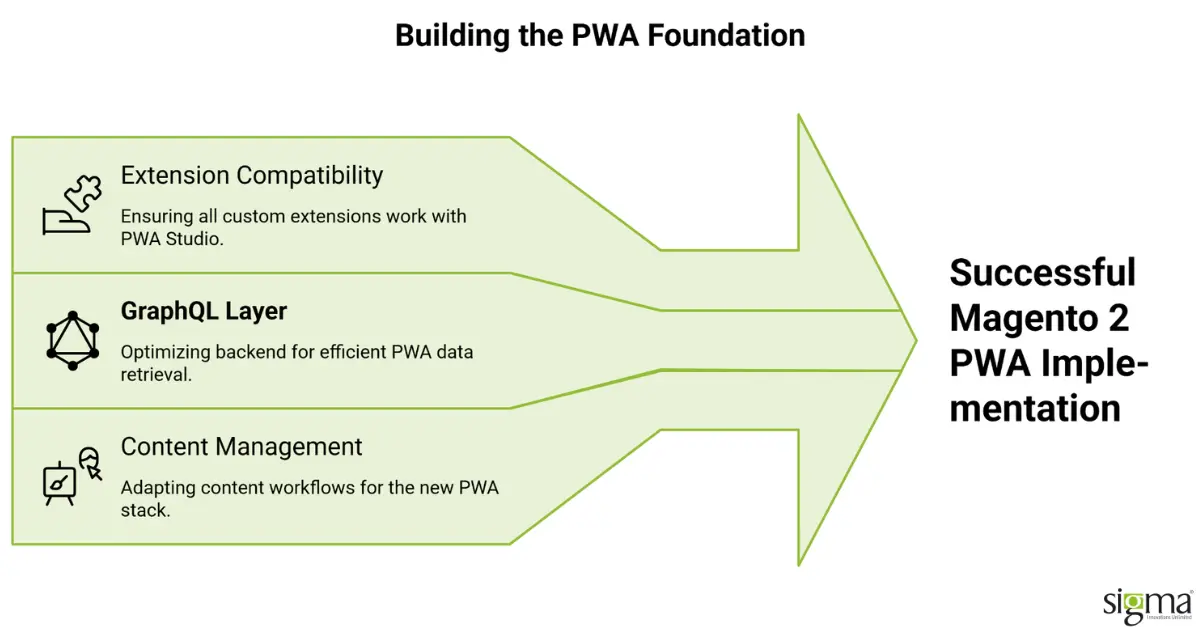
Whichever path a retailer chooses, a Magento 2 PWA implementation touches more of the existing store than a typical theme refresh. Every custom extension the store runs today needs a compatibility review, since PWA Studio and most PWA themes do not automatically carry forward Luma-based customizations; features like custom product configurators, loyalty widgets, or bespoke checkout steps often need to be rebuilt against the new front end’s architecture rather than migrated as-is. The Magento backend needs a GraphQL layer exposed and tuned, since REST alone is not how most PWA front ends fetch storefront data at the volume a live catalog requires. Content teams need a workflow for managing the storefront’s visual layer through the new stack, since page builder tools built for Luma do not carry over automatically. None of this is a reason to avoid the project; it is the reason a proper audit precedes the build rather than a fixed quote based on catalog size alone.
Choosing the Delivery Path Only After the Extension Audit Is Done
Most Magento 2 PWA projects that run over budget do so because the implementation path was chosen before the audit, not after it. Sigma starts every engagement with a review of the existing extension list, theme customizations, and catalog structure, then recommends the delivery path- PWA Studio, a PWA theme, a headless frontend, or a lighter extension-based approach- that matches what the store actually needs rather than defaulting to the largest build available. That audit-first sequencing is the same discipline Sigma applies across Magento engineering work generally: understand what is actually driving cost and risk before locking in a fixed scope. On the Magento side specifically, Sigma migrated Hansen Wholesale from Magento 1 to Magento 2.4, rebuilding custom attribute systems, product comparison features, and Elasticsearch-based search as part of the platform move, work that produced a 12 percent increase in average order value over the following two years once the faster, modernized experience had time to compound with the business.
Sigma Infosolutions Scopes Magento PWA Builds Against Catalog Complexity, Not Default Templates
Sigma applies the same audit-before-build sequence to Magento front-end modernization more broadly, including theme and storefront upgrade work for a leading Irish grocery retailer preparing its site for continued catalog growth. In both engagements the build path followed from what the audit found, not from a predetermined toolkit, which is the same approach this post recommends for any retailer scoping a Magento 2 PWA implementation.
Both results came from scoping the rebuild against the storefront’s actual catalog and traffic profile rather than a default template. Hansen Wholesale’s full module rebuild during its platform migration and the grocery retailer’s theme upgrade each delivered measurable commercial results because the technical approach was matched to what the business actually needed, the same discipline a Magento 2 PWA build depends on to avoid over-building for traffic the storefront does not have.
How Sigma Infosolutions Delivers Magento 2 PWA Implementations
Sigma Infosolutions implements Magento 2 PWA storefronts using a phased approach that starts with the highest-impact customer journeys, typically the product discovery and checkout paths, before extending the PWA to cover the full catalog. This sequencing allows the business to realize performance and conversion improvements earlier while the full build is completed in parallel.
If you are evaluating a Magento 2 PWA implementation and want a realistic scope, timeline, and cost assessment before the project is approved, speak with Sigma Infosolutions. Sigma’s Magento engineering team can assess your current storefront, define a phased implementation approach, and identify the extension compatibility work required before the front-end migration begins.
Planning Your Magento Storefront Upgrade?
Conclusion:
A Magento 2 PWA is a front-end modernization project layered onto the Magento platform a retailer already operates, not a replatform of the backend itself. Four implementation paths exist, PWA Studio and Venia, a PWA theme, a headless storefront framework, and a lighter PWA extension, and each carries a different balance of control, cost, and timeline. The right path depends on catalog complexity, the extent of existing customization, and how much of the front-end codebase the internal team wants to own after launch. None of the four paths change Magento’s backend logic for pricing, inventory, or checkout, which keeps the operational risk of the project lower than a full replatform. Every existing extension and theme customization needs a compatibility review before the build starts, since most PWA paths do not carry Luma-based work forward automatically. A realistic implementation timeline runs from a few weeks for a lighter extension-based approach to sixteen weeks for a full PWA Studio or headless build. Choosing a delivery path before completing that audit is the most common reason these projects run over budget or extend past their original timeline. Retailers evaluating this project are best served by treating the audit as the first deliverable, not a formality ahead of a build the vendor already intends to run. Sequencing the work this way protects the storefront’s existing performance and stability while the new front end is built and tested in parallel. Sigma’s Magento migration and theme modernization work, including the Hansen Wholesale platform migration, follows this same audit-before-build discipline. A Magento 2 PWA delivered this way gives a retailer a faster, more app-like storefront without the risk of a project scoped against assumptions rather than the store’s actual complexity.
Ready to Plan Your Magento 2 PWA Build?
Get a practical assessment of your storefront, integrations, and implementation path before committing to the build. Contact Our Magento Experts
Frequently Asked Questions
What is a Magento 2 PWA, in plain terms?
A Magento 2 PWA is a lightweight, app-like front end layered onto your existing Magento backend. It uses React or Vue with a service worker for caching, so pages load faster and the site can be added to a phone’s home screen. Your catalog, pricing, and checkout logic on Magento itself do not change.
Do we have to use Adobe’s PWA Studio to build one?
No. PWA Studio and Venia are one path among four: PWA themes like ScandiPWA or Tigren, headless frameworks like Vue Storefront, and lighter PWA extensions like Webkul’s are all viable, depending on catalog complexity and how much control the team wants over the front-end codebase.
Will our existing Magento extensions still work after a PWA implementation?
Not automatically. Most PWA Studio builds and PWA themes do not carry forward Luma-based customizations, so each extension needs a compatibility review before the build starts. Custom configurators or bespoke checkout steps are often rebuilt against the new front end, which is why an audit precedes any fixed-scope quote.
How long does a Magento 2 PWA implementation typically take?
A full PWA Studio or headless frontend build for an established store with meaningful customization typically runs eight to sixteen weeks from audit to launch. A PWA theme installation with moderate customization runs faster, and a lighter PWA extension layered onto the existing theme can launch in a few weeks.
Does a Magento 2 PWA replace the need for a native mobile app?
For most mid-market retailers, yes, in practice. A well-built PWA delivers home screen install, offline browsing, and push notifications without the cost of maintaining separate iOS and Android codebases. Retailers with heavy hardware dependency needs, such as biometric checkout, are the main exception worth evaluating separately.